
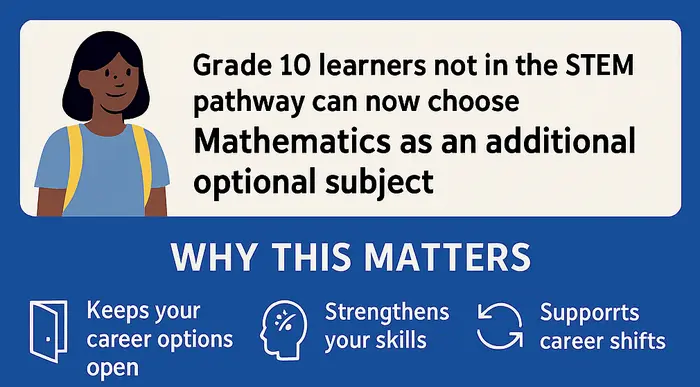
The Ministry of Education in Kenya has introduced some exciting changes for grade 9 learners moving to grade 10 in 2026. This marks the first group of students to enter Senior Secondary under the Competency-Based Education (CBE) system. The new pathway rules, formulated by the Ministry, now offer more flexibility in subject choices
Initially, students not taking STEM (Science, Technology, Engineering, Mathematics) pathway couldn’t select advanced maths as one of their choices in subject combinations.
The New Changes: Core Maths Now Available for Everyone
The Ministry has opened up Core Mathematics to every student, including those in the Social Sciences and Creative Arts & Sports pathways.
Students can now choose Core Mathematics if their Grade 9 results show they’re ready, even if they’re not pursuing a science-related pathway.
This change is great for a simple reason.
Many careers outside of STEM, such as architecture, economics, and graphic design, still require a strong foundation in mathematics. This gives students a wider range of career paths to choose from, which is incredibly helpful if they change their mind about their future career.
They won’t be locked out of courses that require core mathematics.
How Grade 10 Subject Selection Works
In Grade 10, students will study seven subjects in total. There are four compulsory subjects for everyone: English, Kiswahili, Mathematics (either Core or Essential), and Community Service Learning (CLS).
In addition to those, students will choose three elective subjects. At least two of these must come from their chosen pathway.
There are three pathways available:
- STEM (Science, Technology, Engineering, Mathematics)
- Social Sciences
- Creative Arts and Sports
See the CBE Senior School Subject Combinations guide for a comprehensive list of possible subject combinations in each career pathway.
Students can also mix subjects across pathways if it aligns with their future career goals. Senior schools are advised to guide students on this.
Physical Education (PE) and ICT will be offered to all learners to facilitate learning and acquisition of essential life skills.
While the GOK’s pathway portal currently has no option to select subjects between pathways, most of these changes will be done at the Senior school level.
How to Use the Grade 10 Selection Portal
The Ministry has launched an easy-to-use online portal to guide students through the pathway selection process. Here’s how it works:
- Open your browser and search for GOK Pathway Selection Portal.
- Open Grade 10 Section System, search result.
- Log in using the student’s NEMIS UIC number and password.
- Update the learner’s profile: include location, parent/guardian details, and any special needs.
- Choose one pathway: STEM, Social Sciences, or Creative Arts & Sports Science.
- Select three subject combinations that align with the student’s career goals.
- Pick four schools for each subject combination—one from each cluster.
- Confirm and save the selections. You can print or download the final profile.
For a comprehensive step-by-step guide, see: How to Select Grade 10 Pathway and Schools-Step by Step Guide.
See also:
0 Comments