

The Ministry of Education in Kenya has launched a grade 10 pathway and selection portal for grade 9 learners transitioning to senior secondary schools in 2027. This is the first cohort of students under the Competency-Based Education (CBE) system to join grade 10.
The Ministry has urged teachers and heads of institutions to guide students well, so that they can make informed decisions when selecting pathways based on their desired careers and interests.
To access the grade 10 pathway selection portal, you will need the NEMIS UIC/ KEMIS code or username and a password.
See also: Senior Secondary Subjects in Kenya and Career Pathways.
Once logged in, a learner can choose one of the three pathways below:
- STEM (Science, Technology, Engineering, Mathematics)
- Social Sciences
- Creative Arts and Sports

The learner can then select grade 10 schools that offer their chosen pathway and subject combination.
Grade 10 Pathway and Schools Selection Process
A successful pathway selection on the portal involves following four simple steps:
1. Log In to the Selection Portal
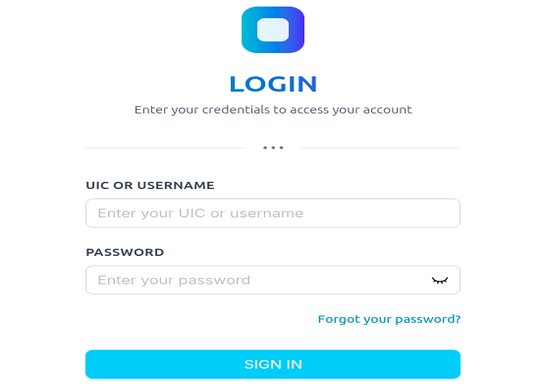
- Open the link https://selection-placement.kemis.go.ke/ to access the MoE pathway selection home page
- Click or tap on Login. Or register if it’s your first time using the portal.
- On the login page, enter the username (NEMIS UIC/ KEMIS number) and password, and click on the Sign In button
- You will be asked to enter a Verification Code.)
- You are now successfully logged in
- Next, click on Pathway Selection.
- A list of all grade 9 learners in the school will be displayed
See also: CBE Senior Secondary Subject Combination in Kenya.
2. Update Learner’s Details
- Now, click on each name at a time to update the student’s profile
- Indicate the type of special need if any
- Confirm by selecting the people present during the pathway selection exercise. E.g, Parent/ Guardian, HOI, Learner or Class Teacher
- Next, enter the parent/ guardian information
- Update the learner’s location (home county and sub-county, county and sub-county of residence)
- You can leave a comment if any
- Next, click Submit to save the information
3. Selecting a Grade 10 Pathway
- Select ONLY ONE pathway for each learner (either STEM, Social Sciences or Arts & Sports Science)
- Click Confirm to proceed
- You will see a list of available subject combinations for the chosen pathway
- Select ONLY THREE subject combinations that align with the learner’s career and abilities
- Next, click Submit to save the choices
4. Senior Schools Selection
This is the final stage. Ensure you confirm the pathway and school choices before making a final submission.
To select grade 10 schools:
- For each subject combination, select FOUR schools, each from the four clusters
- After choosing the four schools for a subject combination, the combination will disappear
- Repeat the step above for the remaining subject combinations
- After the school selection is complete, you can download or print the learner’s profile to confirm the selection
I like your Page for it has given me the information that I have been looking for.
i have viewed your page and i have been assisted