

You can easily change your Mutichoice DStv Africa package, upgrade, or downgrade to your desired bouquet, using one of the several ways provided by Multichoice. The methods available include the MyDStv App, the DStv Selfcare website, the DStv service care centre near you, and the USSD service.
DStv packages offered to African viewers typically include DStv Premium, Compact Plus, Compact, Family, Access, and Easy View, with a little variation of the package names and channels available depending on your country.
Let’s look at the several ways you can change your DStv package:
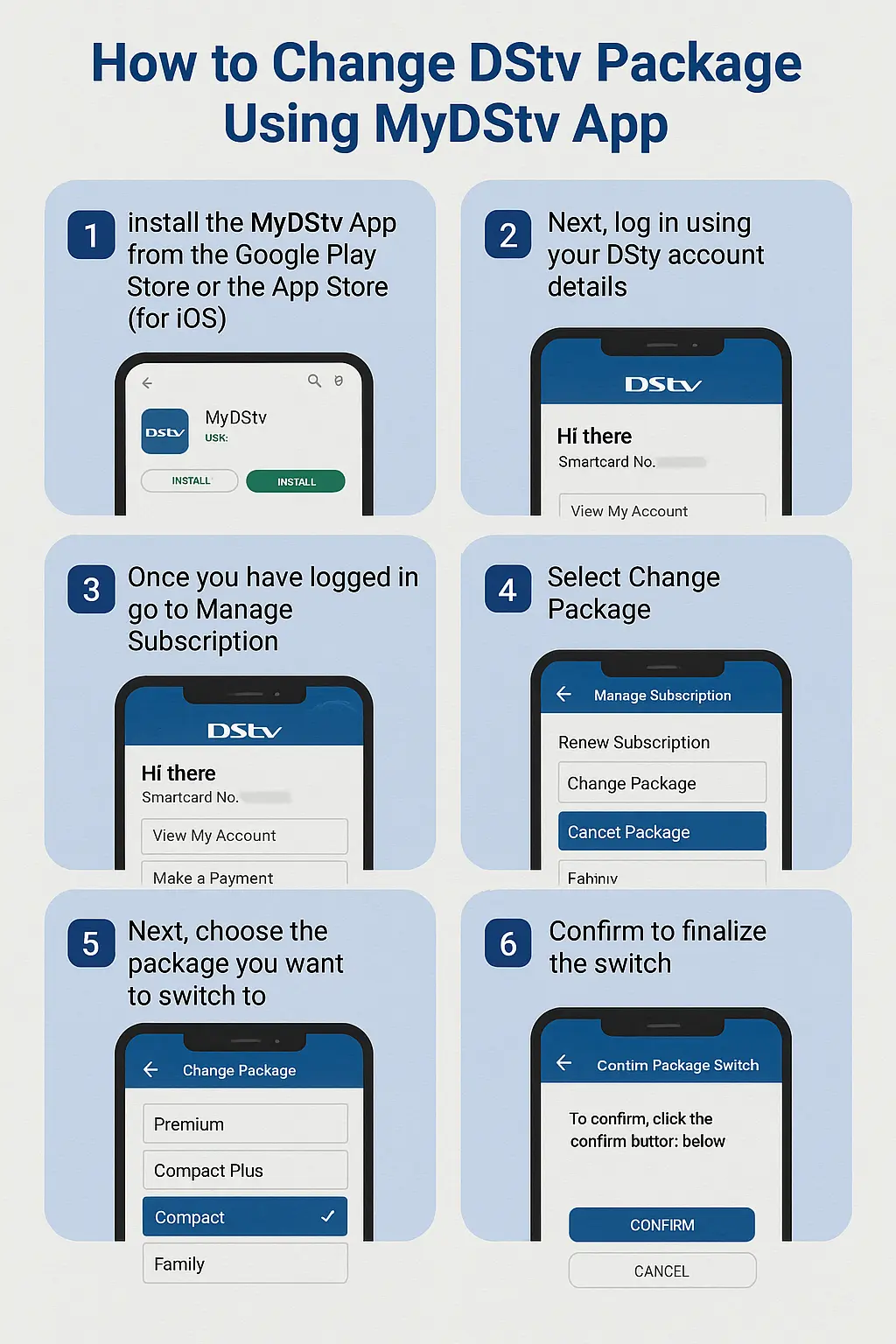
Change DStv Package Using MyDStv App
The MyDstv app is available for both Android smartphone users and iOS users.
To switch your DStv package through the app, follow these steps:
-
- Install the MyDStv App from the Google Play Store or the App Store (for iOS)
- Next, log in using your DStv account details
- Once you have logged in go to Manage Subscription
- Select Change Package
- Next, choose the package you want to switch to
- Confirm to finalize the switch
Switch DStv Package through DStv Self-Service Portal
- Visit the DStv Self-Service portal
- Sign in with your Multichoice ID and Password (or click Create a Multichoice ID to register)
- Click on My Account
- Next, under subscriptions, select Change Package
- Select the package you want to upgrade or downgrade to
- Confirm the changes to complete the switch
Upgrade or Downgrade DStv Package through USSD *423#
The USSD option is handy if you do not have an internet connection.
The *423# USSD code is for viewers in Kenya on the Safaricom network. The USSD code will be different in your country.
To change your package through the USSD option:
- Dial *423# on your Safaricom line
- Select Login
- Enter your decoder’s smartcard number
- Select Manage Account
- Select the package you want to switch to and confirm
- You will receive a text message confirming the successful switch
You can also change your package by contacting the DStv Customer Care desk or physically visiting a DStv service centre near you.
Take note that the package change will take effect on your next payment date.
If you upgrade to a more expensive package, you will be required to pay the new subscription fee before or on your next billing date.
See also:
I need help with changing payments plans
What is the cost for I to upgrade from compact sport to premium what is the cost I already pay for compatsport last week for the all year