

Azam TV offers affordable satellite TV packages with a wide range of channels. You can pay for your Azam TV subscription via Mpesa mobile money or online through the DPO Pay Marketplace.
Azam provides three main packages, each with channels catering to different preferences.
Here’s a summary of Azam packages and subscription cost:
- Azam Lite: Ksh. 400 per month
- Azam Plus: Ksh. 950 per month
- Azam Play: Ksh. 1500 per month
How to Pay for Azam TV via MPesa
To pay your Azam TV subscription using Mpesa, follow these steps:
- From the M-Pesa menu, select Lipa na M-Pesa , then Paybill .
- Enter the Azam Paybill number: 827190 as the business number.
- Enter your Smart Card Number as the account number.
- Enter the amount you want to pay.
- Enter your M-Pesa PIN and send.
- You will receive a transaction message from Azam confirming the payment.
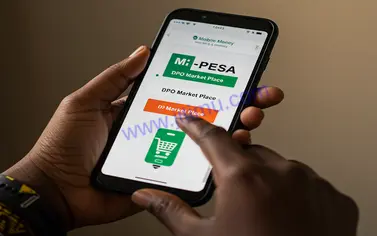
How to Pay for Azam TV Online through DPO Pay Marketplace
Follow these steps to pay for Azam TV online:
- Visit DPO Pay Marketplace .
- Enter your Azam TV Smart Card Number and click Search .
- Select your package from the list.
- Verify the package price and click the reCAPTCHA checkbox.
- Click Pay Online .
- Note your total charge from the notification and proceed.
- Enter your personal details.
- Select Mobile as the payment method, then choose Mpesa .
- Enter your Mpesa phone number.
- Accept the terms and conditions and click Pay via Mobile .
- You will receive a prompt on your phone to enter your PIN.
- Enter your PIN and complete the transaction.
For customer support, you can contact Azam Kenya through:
- Phone Number: (+254) 709 844 000
- Head Office: Mugumo House, Karbanet Road, Nairobi Kenya
- SMS Only: 0702 273 632 (for technical problems)
- Email: infokenya[at]azam-media.com
0 Comments