

If you are self-employed and registered with the Social Health Authority (SHA) in Kenya, you can easily pay for the medical insurance cover’s premium through M-Pesa paybill, *147# self-service USSD, or through the official Afya Yangu portal.
For employed Kenyans, your employer takes care of the SHA monthly payments for you. Your employer deducts 2.75% of your gross salary and remits it to SHA by the 9th day of the following month.
Take note that whether you are employed or self-employed, if the payments are not remitted on time or not made at all, your SHA services will be suspended until you resume making the payments.
See also: SHA Accredited Hospitals Offering Oncology, Cancer Care Services
Here are various ways you can make your SHA contributions.
How to Pay SHA via M-Pesa Paybill
To pay your SHA contribution through M-Pesa:
- Open the M-Pesa menu on your phone or dial *334#.
- Select Lipa na M-Pesa.
- Select Pay Bill.
- Enter 200222 as the SHA business number.
- For the account number, enter your national ID number (or the person you want to pay for).
- Enter the amount payable.
- Enter your M-Pesa PIN.
- Confirm the details and send to complete the transaction.
You will receive confirmation messages from both M-Pesa and SHA. Keep them safe for your records.
How to Pay SHA Using *147#
To pay for SHA using the self-service USSD:
- Dial *147# on the phone number registered with SHA.
- Select Kenyan Citizen
- Enter your ID number
- Select Make Payment (or LIPA POLE POLE)
- Next, select Pay for self.
- Choose the payment you would like to pay e.g Annual Contribution
- Follow through with the transaction by entering the amount to pay, choosing payment method as M-Pesa, and entering your M-Pesa PIN in the M-Pesa push message.
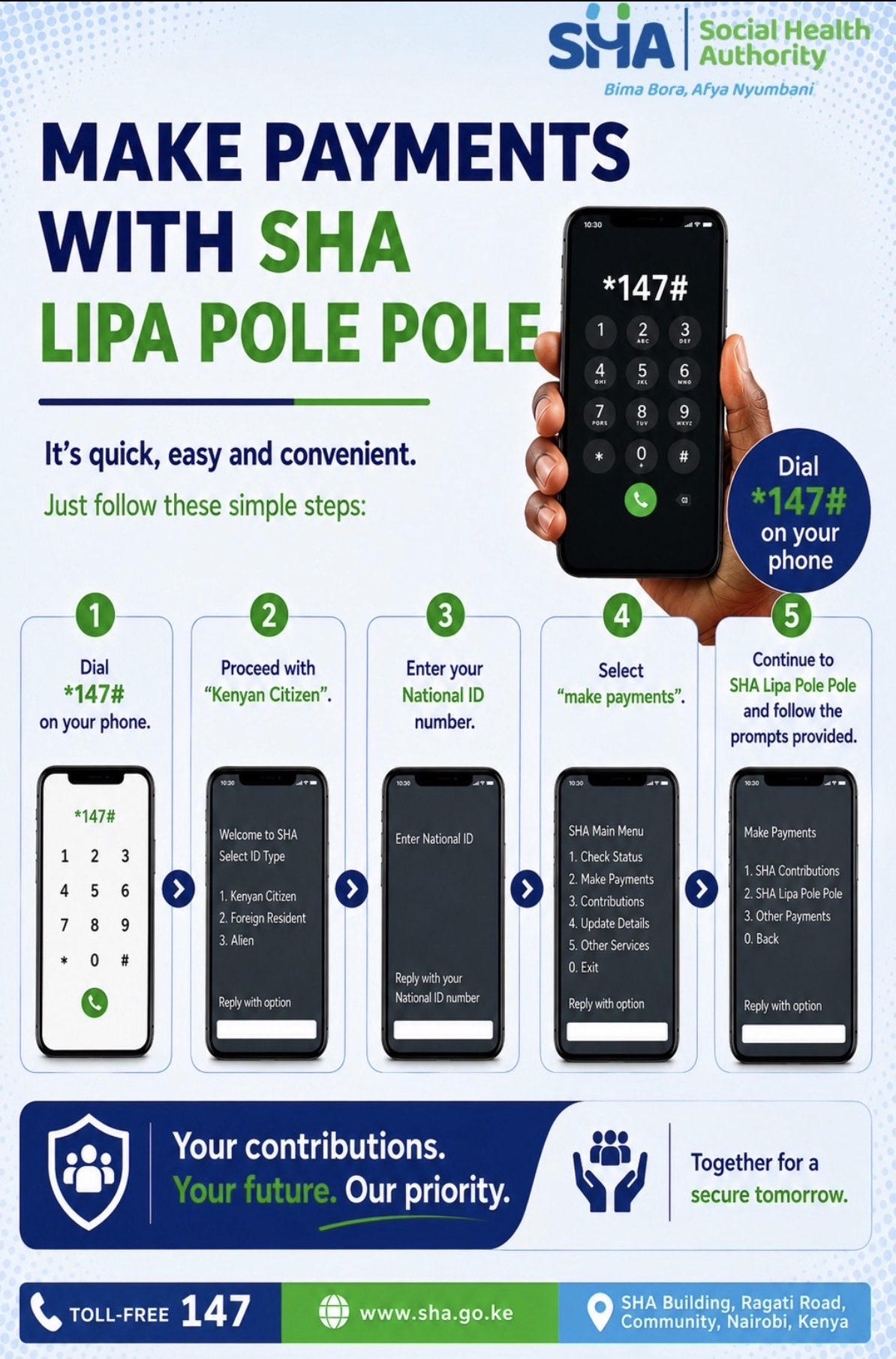
You can also use the *147# self-service code to check information like your payment status (active or inactive) and other contribution details.
You can also pay for your SHA contributions through the Afya Yangu portal.
Log in to the portal and click on contributions. Clicking on the pay button will bring up a screen where you will enter the M-Pesa number you want to pay from and the amount. Follow through with the prompts to finish the payment.
0 Comments